Your Phone. Your Business. More Ways to Get Paid.
-
Product Information
Your business doesn't stand still. Neither should your payments.
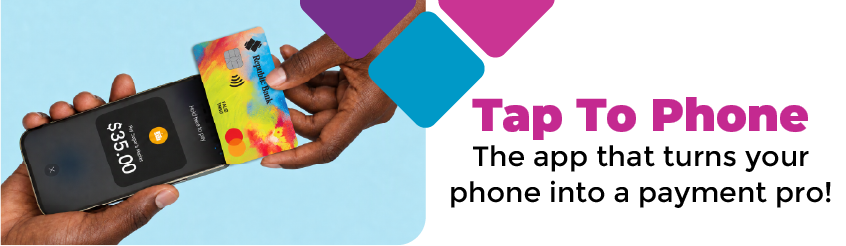
Whether at your storefront or on the go, Republic Bank’s Tap To Phone lets you accept contactless card payments directly on your compatible smartphone, wherever you meet your customers!
It’s perfect for entrepreneurs and Small Medium Enterprises that take payments face to face. No separate payment terminal required. Just more flexibility to do business your way.
With this service you can accept payments made using the following:
- Republic Bank VISA Debit Cards
- Other Local Bank Debit Cards
- Local and International VISA Credit Cards
- Local and International Mastercard Credit Cards
- Digital wallets such as Apple Pay and Google Wallet
-
Features and Benefits
Running a business means making the most of every opportunity. With Republic Bank’s Tap To Phone, you can:
- Accept Payments on the Go – Take contactless card payments wherever you do business.
- Give Customers More Choice – Offer a convenient alternative to cash.
- Keep Things Simple – Accept payments using your compatible smartphone, without a separate payment terminal.
- Focus on Your Business – Spend less time handling cash and more time serving your customers.
-
How It Works
Tap To Phone transforms your NFC-enabled Android smartphone into a payment terminal, letting you enjoy fast, affordable, secure, hardware‑free, contactless payments anytime, anywhere.
Getting Activated:
1. Complete our registration form and one of our representatives will contact you to guide you through the next steps.
2. Once onboarded, you can download the required applications on your compatible Android smartphone and complete the activation process.Accepting payments:
1. Launch the app on your activated NFC-smartphone and select ‘Sale’. Access to mobile data or WiFi is required.
2. Enter the amount your customer needs to pay
3. Tap To Phone - ask your customer to tap their debit or credit card against your smartphone to make their payment.
4. Payment complete! -
How To Apply
Interested? Let's Talk!
To sign up for Republic Bank’s Tap To Phone, complete our short registration form and a one of our representatives will contact you with more information on getting started.
-
Frequently Asked Questions
-
1. What is Tap To Phone?
Tap To Phone is a payment solution that allows businesses to accept contactless card payments directly on a compatible Android smartphone, without the need for a traditional point-of-sale (POS) terminal.
-
2. Who can use Tap To Phone?
Tap To Phone is designed for businesses seeking a convenient and flexible way to accept contactless payments, including small retailers, market vendors, food businesses and entrepreneurs who provide services on the go.
Eligibility requirements apply. -
3. Do I need to have a Republic Bank account to apply?
A Republic Bank account is not needed to apply, but it is needed to activate the service. You will be contacted to begin opening a Republic Bank business account for Tap To Phone.
-
4. How do I sign up?
Simply complete the contact form or email our Merchant Services Team at dominicamerchants@rfhl.com and one of our representatives will contact you with more information on the requirements and next steps.
-
5. What do I need to use Tap To Phone?
You'll need an Android smartphone running Android 12.0 or higher, with Near Field Communication (NFC) capability and a stable internet (mobile data or WiFi) connection.
Your smartphone must also meet the application's security and configuration requirements. -
6. Which payments can I accept with Tap To Phone?
You can accept payments from eligible contactless Visa and Mastercard debit and credit cards.
Payments from digital wallets such as Apple Pay and Google Wallet are also accepted. -
7. Are there fees for using Tap To Phone?
Information on applicable fees and charges will be provided by one our representatives during the onboarding process.
-
8. What are the Terms & Conditions of the Tap To Phone app?
Information on the Terms & Conditions of the Tap To Phone application will be provided by one our representatives during the onboarding process.
-
9. Are there transaction limits?
There is no transaction limit for Tap To Phone, however any transaction that exceeds US $100.00 will require a customer PIN to be entered.
-
10. Is Tap To Phone secure?
Yes. Tap To Phone uses secure payment technology, including encryption and tokenisation, to protect your customers’ payment information during transactions. The solution meets PCI DSS industry security standards and cardholder information is never stored on your smartphone, giving you and your customers added peace of mind.
-
11. How will I receive payments?
Funds from successful transactions are credited directly to your Republic Bank business account.
-
12. Who should I contact if I need further information or support?
Should you need further information or support, please contact our Customer Care & Support Centre at 1-767-448-4725 (4RBL) or republicbank.dm@rfhl.com OR our Merchant Services Team at dominicamerchants@rfhl.com
-